
Friends of the North Carolina Museum of Natural Sciences
summercamps@naturalsciences.org or call 919-707-9889 with any questions.
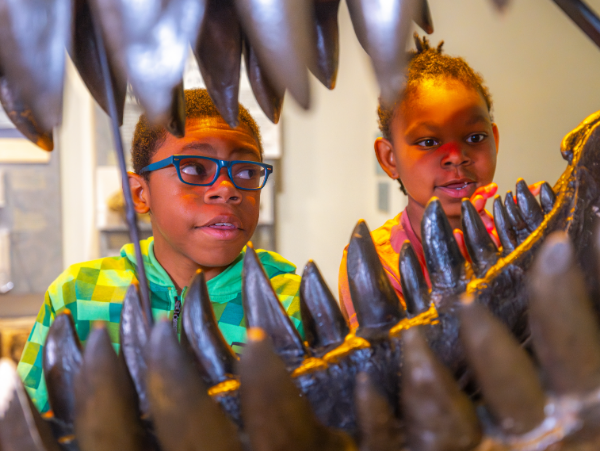
Day Camps: Summer 2026
No activities to show yet
Check back soon, or browse our other programs in the meantime.
Friends of the North Carolina Museum of Natural Sciences
summercamps@naturalsciences.org or call 919-707-9889 with any questions.
No activities to show yet
Check back soon, or browse our other programs in the meantime.
Hours:
Camp hours are from 9:00am to 4:00pm with an After Camp Care option from 4:00-5:00pm.
Registration:
Registration must be completed by a legal guardian. A guardian may reference the membership number of the grandparent’s Family level (or higher) Friends of the NCMNS membership.
Important Notice:
Guardian(s), emergency contact, and authorized pick-up first and last name on the registration form must match the name on their government issued ID
Enrollment and refund:
Each child can enroll in up to 2 weeks of day camp. The Museum will cancel any excess registrations. NCMNS can grant refunds only when a cancellation is received before 5:00pm, May 1. A 13% processing fee per refund is required. Cancellations received after May 1st may not be eligible for a refund.
Questions:
Please visit the Summer Camp Frequently Asked Questions page or contact summercamps@naturalsciences.org.
How to register for a day camp:
1. Only the child’s guardian can register the child. Register one child at a time. On this webpage, scroll down towards the bottom of the page and select the name of the camp you wish to register for.
2. Click on the grade level, under the camp’s name, to expand the section.
3. Find the week of camp you would like to register for. If you would like to opt into our Installment plan, click on the “Installments available” to select a plan. Additional information can be found on our FAQ webpage.
Click on the blue “Register for session.” The camp will automatically be added to the “View Cart” box located in the top right of the screen.
If registration has filled, instead of seeing a blue “Register for session” you will see a blue “Join session waitlist.”
4. A pop-up box will appear to create or log into your account in Amilia, our registration system.
5. “Select participant to register” pop-up box will appear.
Select “Continue to shop” button if you want to add another camp or After Camp Care to your child’s cart.
Select blue “Checkout” button if you are ready to continue to check out.
6. A pop-up box, entitled, “Frequently bought together” will allow you to add After Camp Care to your child’s week of camp. Additional information can be found on our FAQ webpage
Click on the blue “Continue” button to advance to the next section.
7. On the “Friends of the North Carolina Museum of Natural Sciences page, in the drop-down box, select your Friends of the Museum membership level or if you are not a current member.
Click on the blue “Continue to cart” button.
8. On the “Order” page, be sure to check the box agreeing to the Terms and Conditions, located at the bottom right of the webpage, before clicking on the blue “Proceed to checkout” button.
9. Complete the camper’s registration form.
10. On the “Payment” screen, choose your payment method using your banking account, MasterCard, VISA, or Discover Card. Enter your payment information and click on blue “Pay now” button.
11. “Confirmation” page will appear once your payment has been processed and your child’s registration is completed. The information on the “Confirmation” page will be automatically emailed to you with a receipt.
How to register for a day camp’s wait list:
Step 1-3 is listed in the section above.
4. A pop-up box will appear to create or log into your account in Amilia, our registration system.
5. Under the “Eligible participant” section, select the child’s name you wish to register. If they are not listed, click on “Add a person” to enter in your child’s details.
6. At the bottom of the webpage, make sure your email address and phone number is correct before clicking on the blue “Add to wait list” button.
7. If your child has been added to the wait list, you will see a pop-up box with “Success!” appear.
8. Helpful notes:
Amilia uses cookies to enable some features, as well as collect data to improve your experience. You can customize which cookies you accept and learn more about our Cookie Policy.